

Why Paper Checklists Still Cost Industrial Operations Time and Money
Field inspections in manufacturing, energy, and heavy industry still run on paper checklists at a surprising rate. The clipboard-and-pen approach persists across thousands of facilities worldwide, and it introduces costs that compound silently over months and years.
The tangible toll is well documented. Data re-entry errors occur when handwritten notes get transcribed into spreadsheets or databases; illegible handwriting leads to missing data points. Forms go missing between the field and the office. Reporting delays stretch from hours to days. Attaching photographic evidence after the fact is clumsy at best, impossible at worst. Compliance deadlines get tighter while the paper trail gets thinner.
Consider the scale: a single oil and gas facility may require thousands of individual inspection entries per year across equipment walkarounds, safety audits, and environmental checks. Power generation plants and heavy manufacturing sites face similar volumes. Each paper form that gets lost, misread, or delayed represents a small failure that, multiplied across an operation, adds up to a significant cost of manual data handling in field operations.
Regulatory bodies like OSHA and standards frameworks such as ISO 45001 require accurate, timestamped inspection records. These are not optional documentation exercises. They are legal and operational necessities.
Mobile form technology now offers a practical, field-tested alternative, and industrial teams are adopting it at scale.
Core Features of Mobile Inspection Forms for Industrial Environments
A mobile inspection form is a digital checklist deployed on a smartphone or ruggedised tablet. Field workers complete it during walkarounds, equipment checks, or safety audits, replacing the paper clipboard entirely.
Industrial teams evaluating mobile form platforms should look for these core features:
- Offline functionality: Critical for remote sites, underground facilities, refineries, and any location with poor or no cellular connectivity. The form must work without a signal and sync data automatically when connectivity resumes.
- Photo and video capture: Images and short video clips attached directly to specific checklist items. This eliminates the need to match photos to line items after the fact.
- GPS and timestamp auto-tagging: Every completed form entry is automatically stamped with location coordinates and the exact time of completion. This is essential for compliance documentation.
- Conditional logic (skip logic): The form adapts based on previous answers. If a piece of equipment passes an initial check, the form skips detailed follow-up questions, reducing time per inspection.
- Digital signatures: Supervisors or safety officers can sign off on completed inspections directly on the device.
- Integration with existing systems: The platform should connect to CMMS, ERP, and asset management software via APIs, so inspection data flows directly into maintenance workflows.
These are not consumer survey tools. Industrial-grade mobile form platforms are built for harsh field conditions: gloved hands, bright sunlight, dust, and vibration.
Newer platforms also allow teams to build inspection forms quickly using AI generated worker facing forms, which auto-generate structured checklists from plain-language descriptions of the inspection task. An operations manager can describe what needs checking, and the system produces a draft form with appropriate field types, conditional logic, and response options.

Step-by-Step: How to Digitise an Existing Paper Checklist
Follow this process to transition from paper to digital inspection forms without disrupting field operations.
- Audit existing paper forms. Collect every checklist variant in use across shifts, crews, and sites. Most operations discover they have multiple versions of the same form, some outdated, some with fields nobody fills in. Identify redundancies and remove dead fields.
- Standardise the inspection logic. Map out which questions are mandatory for every inspection and which are conditional (triggered only by specific answers). Define which items require photographic evidence. Establish clear pass/fail criteria for each checklist item. This step is where you improve the inspection, not just replicate it.
- Choose a mobile forms platform. Evaluate options based on offline capability, device compatibility (iOS, Android, ruggedised tablets), integration APIs, and user licensing costs. Platforms like Appenate provide tools purpose-built for industrial field data capture, with offline-first architecture and enterprise integration options.
- Build and test the digital form. Replicate the standardised checklist in the platform’s form builder. Add conditional logic, mandatory photo fields, and dropdown menus for standardised responses. Replace free-text fields with structured inputs wherever possible. Test on the actual devices field workers will use, in the actual conditions they work in (outdoors, wearing gloves, in direct sunlight).
- Pilot with one team or site. Deploy the digital form to a single crew or facility first. Gather feedback on usability, completion time, and any workflow friction. Pay attention to what field workers say about button sizes, screen readability, and the number of taps required per inspection.
- Roll out and iterate. Expand deployment across sites. Use the data dashboard to spot patterns: recurring equipment failures flagged by inspections, items that consistently get skipped, or forms that take too long to complete. Refine the form quarterly.
The goal is to improve on paper, not mirror it. Digital forms should enforce photo capture where visual evidence matters and auto-route completed inspections to the right manager or maintenance planner. Following digital record-keeping standards for inspections ensures your documentation meets regulatory expectations from day one.
Real-World Use Cases Across Heavy Industry
Mobile inspection forms are already embedded in daily operations across multiple industrial sectors. Here are four common applications.
Manufacturing Floor Equipment Checks
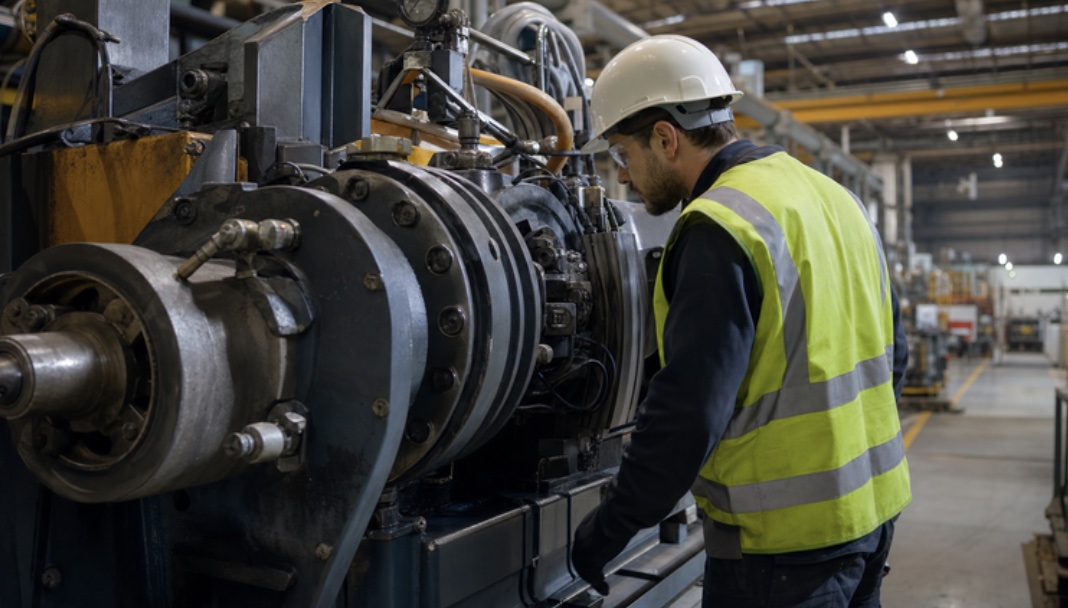
Daily pre-shift inspections of CNC machines, hydraulic presses, and conveyor systems are a natural fit. Mobile forms capture vibration readings, fluid levels, and guard conditions with attached photo evidence. Teams report 30-40% reductions in inspection completion time compared to paper, with faster escalation of defects to maintenance.
Oil and Gas Pipeline Walkarounds
Inspectors in remote locations use offline-capable forms to log corrosion indicators, leak detection readings, and valve conditions along pipeline routes. Data syncs automatically when the inspector returns to an area with connectivity. The GPS stamp on each entry creates an auditable geographic record of every inspection point.
Power Generation Plant Safety Audits
Turbine, boiler, and electrical panel inspections follow strict regulatory checklists. Digital forms auto-generate compliance reports with timestamps and digital signatures, cutting report preparation time from hours to minutes. Audit readiness improves because every record is searchable and complete.
HVAC System Maintenance Inspections
Technicians completing preventive maintenance on commercial or industrial HVAC units log refrigerant levels, filter conditions, and airflow readings directly into mobile forms linked to the asset management system. Work orders update in real time, and parts requests trigger automatically when readings fall outside acceptable ranges.
Deloitte’s adoption of digital inspection tools in industrial sectors survey found that smart manufacturing adoption continues to accelerate, with digital tools for quality and inspection among the fastest-growing categories. The trend is clear: facilities that digitise inspections gain measurable advantages in speed, accuracy, and compliance. For more industrial manufacturing insights on Linquip, the pattern holds across sectors and geographies.

Common Pitfalls and How to Avoid Them
Transitioning from paper to digital inspection forms fails most often for preventable reasons. Watch for these mistakes:
- Over-complicating the form. Adding too many fields, excessive branching logic, or unnecessary dropdown options makes the digital form slower to complete than the paper version it replaced. Keep it lean. If a field does not drive a decision or a compliance requirement, cut it.
- Ignoring field worker input. Forms designed entirely by office-based staff miss practical realities. Glove-friendly button sizes, high-contrast colour schemes for sunlight readability, and logical field ordering all matter. Include frontline workers in the design process.
- Failing to train adequately. A 15-minute hands-on training session per crew prevents most adoption resistance. Do not assume workers will figure it out on their own. Walk through the form on the actual device in the actual environment.
- Not closing the feedback loop. If inspection data goes into a dashboard but nobody acts on flagged defects, field workers lose trust in the system and revert to shortcuts. Assign ownership for reviewing and responding to inspection findings.
- Neglecting offline mode. Any platform that requires constant connectivity will fail in remote industrial environments. Test offline functionality before you commit to a vendor.
The transition from paper to digital is not a one-time project. It is an ongoing cycle of deployment, feedback, and refinement.
Conclusion
Digitising paper checklists with mobile forms reduces inspection errors, accelerates reporting, and strengthens compliance across industrial operations. The process requires thoughtful planning: auditing existing forms, selecting the right platform, piloting before full rollout, and iterating based on field feedback. But the ROI is measurable within weeks, not months, in the form of faster inspections, fewer data gaps, and audit-ready records.
For more on this topic, explore additional articles and guides on linquip.com.

